Google Pixel 9 Pro XL

Google Pixel 9 Pro XL
Android 14

Activate your Google Pixel 9 Pro XL Android 14
You need to activate your phone before using it for the first time and after a factory reset. To use mobile network services on your phone, you need to insert your SIM into your phone.

0000
Step 1 of 10

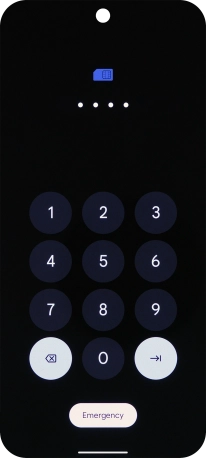
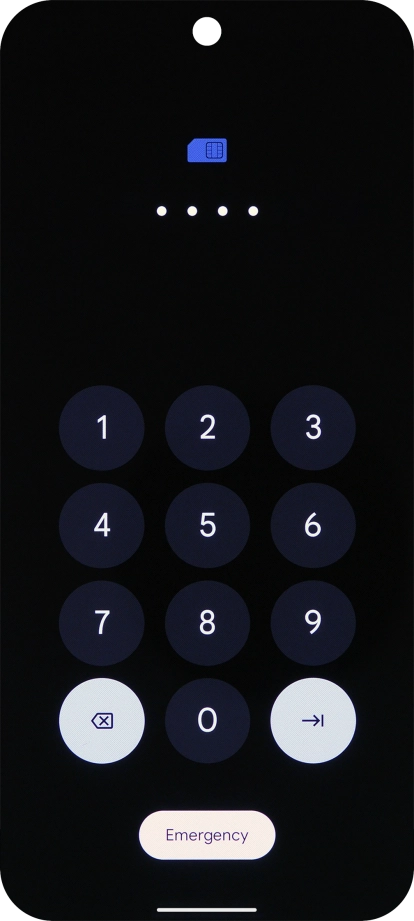
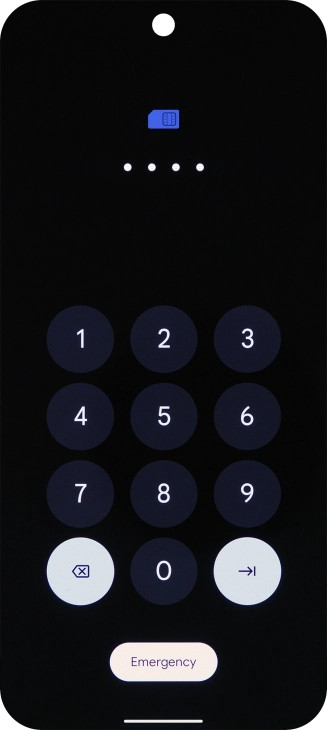
1. Enter your PIN

If your SIM is locked, key in your PIN and press arrow right. The default PIN is 0000.
If an incorrect PIN is entered three times in a row, your SIM will be blocked. To unblock your SIM, you'll need to key in your PUK. The PUK can be obtained by contacting customer services. Please note: If you key in the wrong PUK ten times in a row, your SIM will be blocked permanently. In this case, you need a new SIM from Lebara.
Step 2 of 10

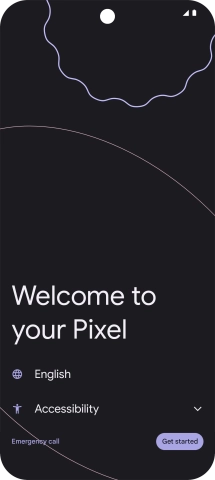
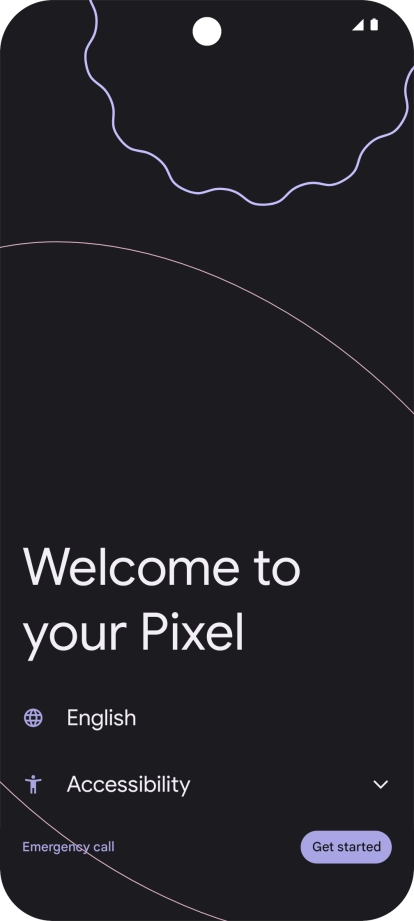
2. Choose language

Press the field next to the language icon.

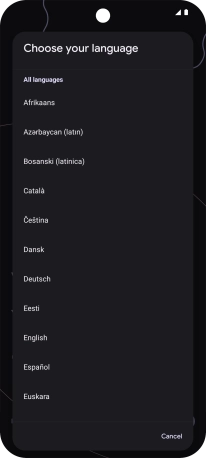
Step 3 of 10

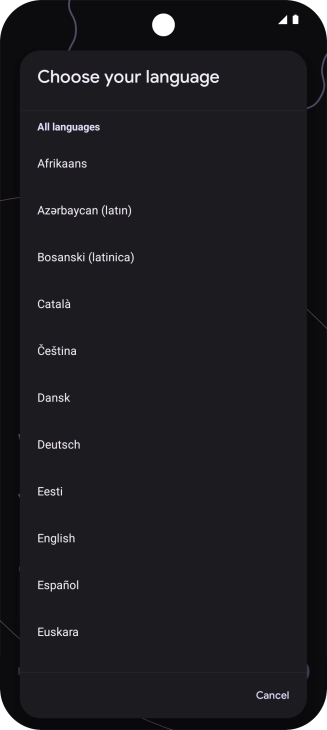
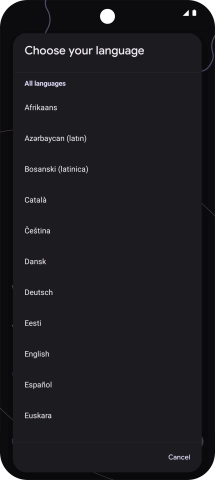
2. Choose language

Press the required language.

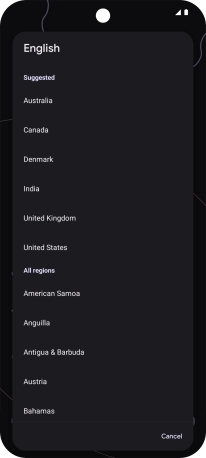
Step 4 of 10

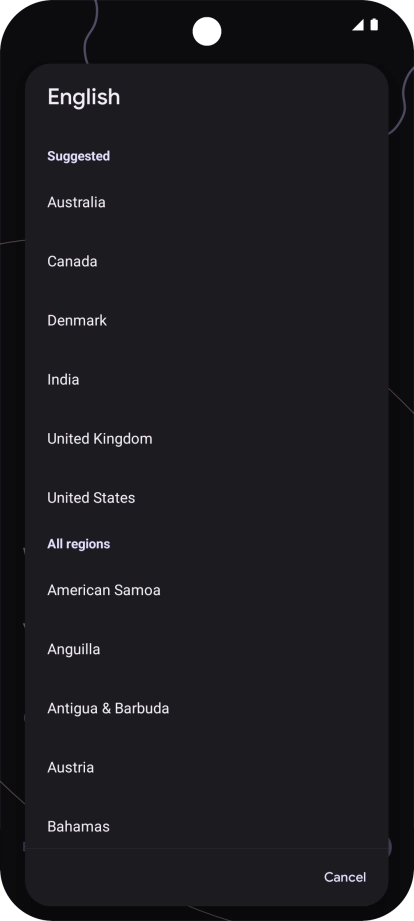
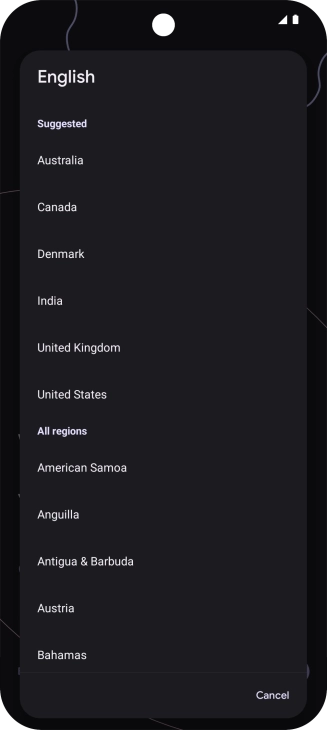
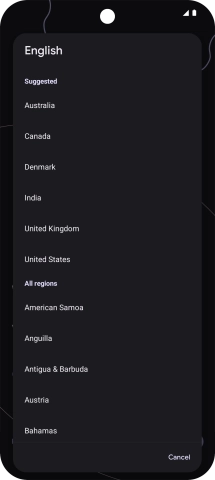
2. Choose language

Press the required country or area.

Step 5 of 10

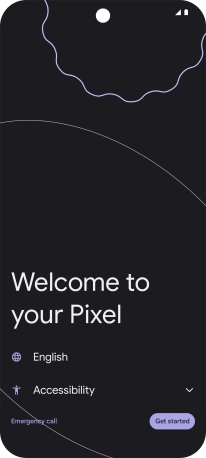
3. Select help function settings

Press Accessibility and follow the instructions on the screen to select the required settings.

See how to select help function settings later after activation.
Step 6 of 10

3. Select help function settings

Press Get started.

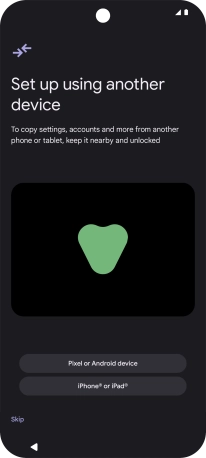
Step 7 of 10

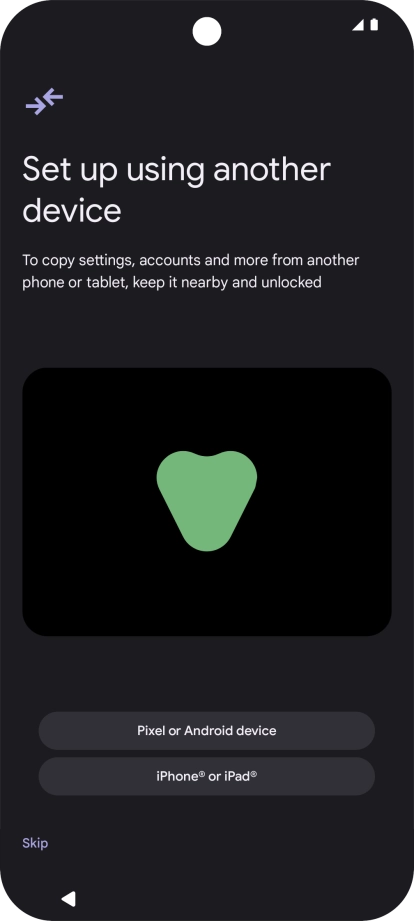
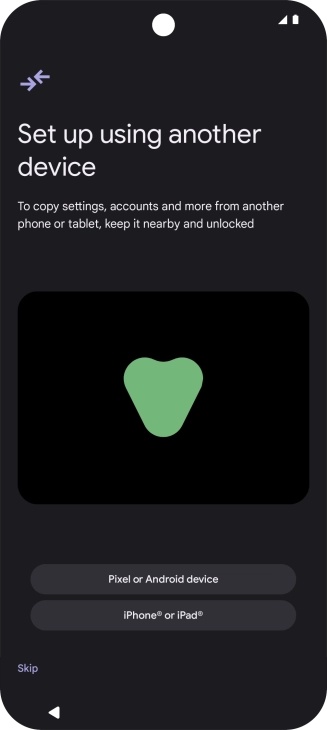
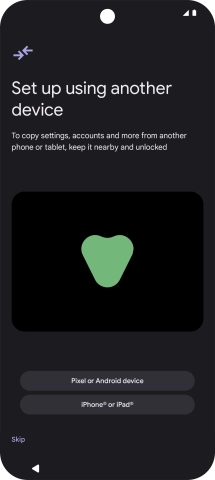
4. Set up your phone as a new phone

Press Skip.

You can also transfer content from another phone or restore the content of a Google One backup.
Step 8 of 10

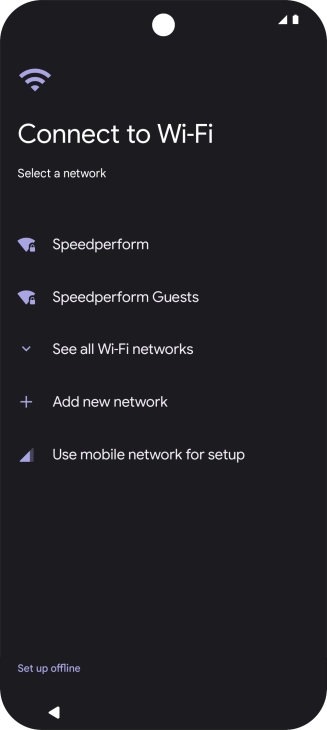
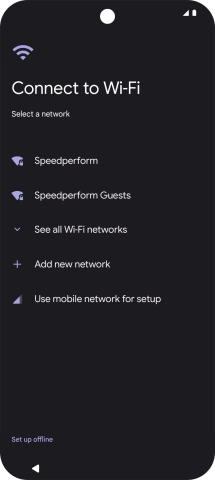
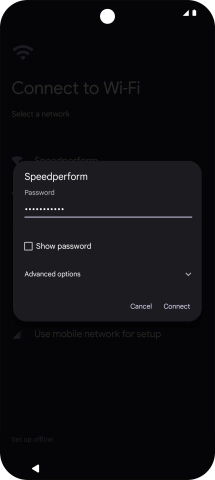
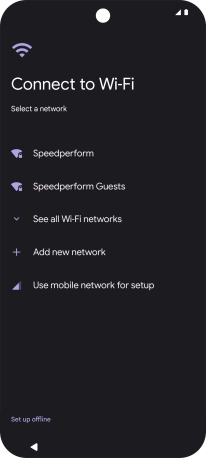
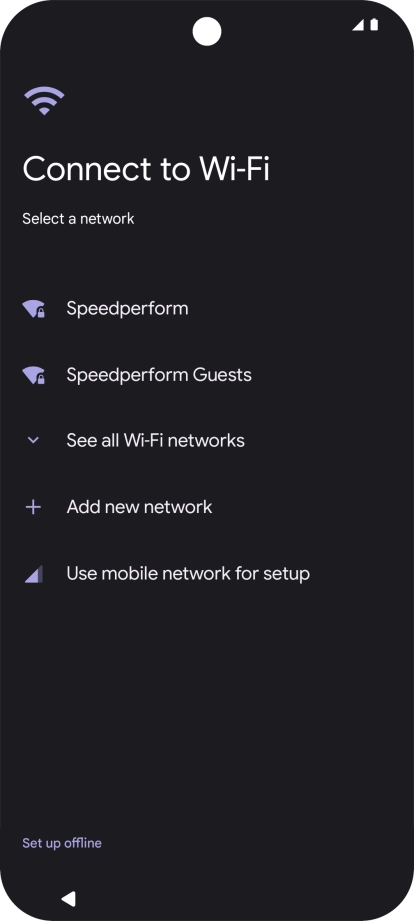
5. Select Wi-Fi network

Press the required Wi-Fi network.

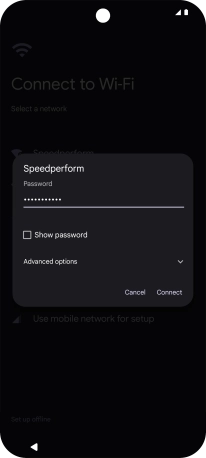
Step 9 of 10

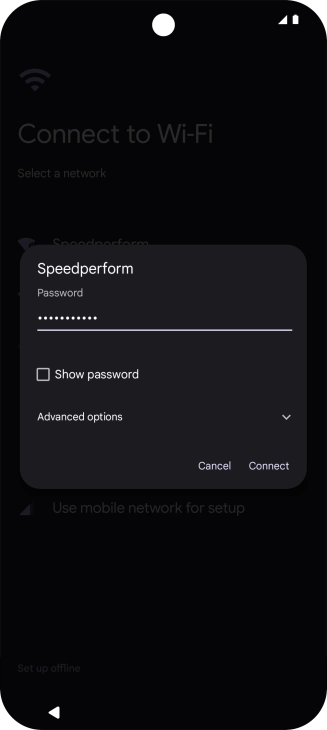
5. Select Wi-Fi network

Key in the password for the Wi-Fi network and press Connect.

If there are no available Wi-Fi networks, you can use the mobile network instead.
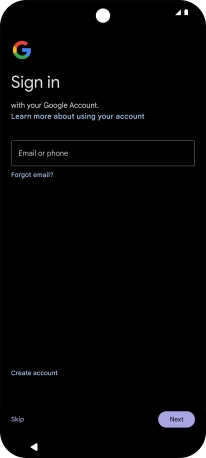
Step 10 of 10

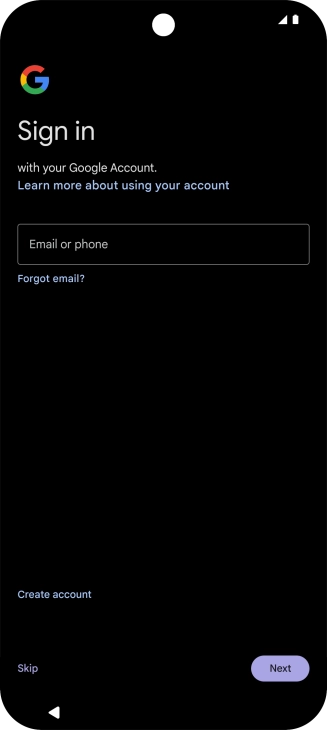
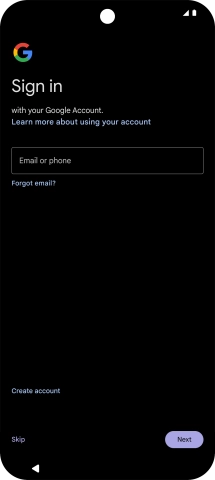
6. Finish activation

Follow the instructions on the screen to finish the activation.

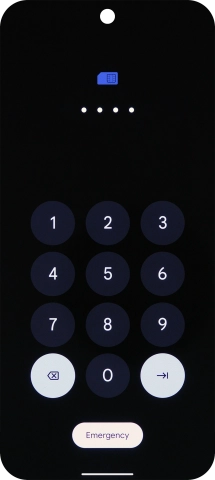
1. Enter your PIN

If your SIM is locked, key in your PIN and press arrow right. The default PIN is 0000.
If an incorrect PIN is entered three times in a row, your SIM will be blocked. To unblock your SIM, you'll need to key in your PUK. The PUK can be obtained by contacting customer services. Please note: If you key in the wrong PUK ten times in a row, your SIM will be blocked permanently. In this case, you need a new SIM from Lebara.
0000

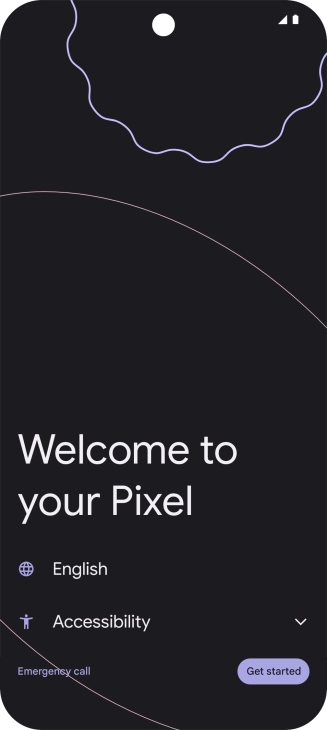
2. Choose language

Press the field next to the language icon.
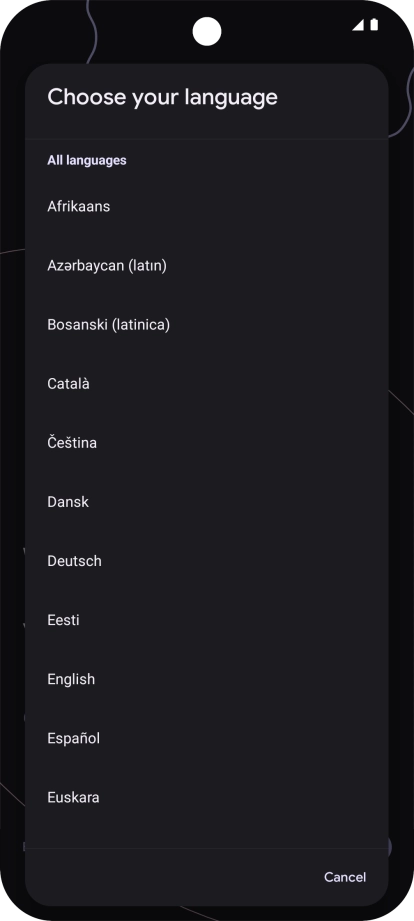
Press the required language.
Press the required country or area.

3. Select help function settings

Press Accessibility and follow the instructions on the screen to select the required settings.
See how to select help function settings later after activation.
Press Get started.

4. Set up your phone as a new phone

Press Skip.
You can also transfer content from another phone or restore the content of a Google One backup.

5. Select Wi-Fi network

Press the required Wi-Fi network.
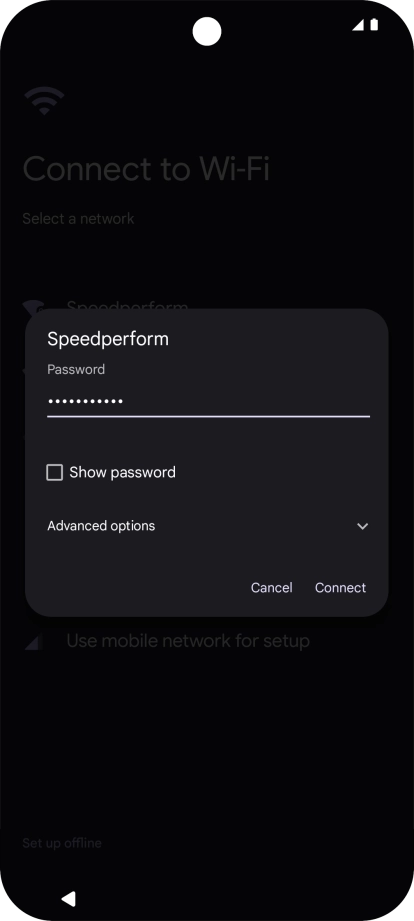
Key in the password for the Wi-Fi network and press Connect.
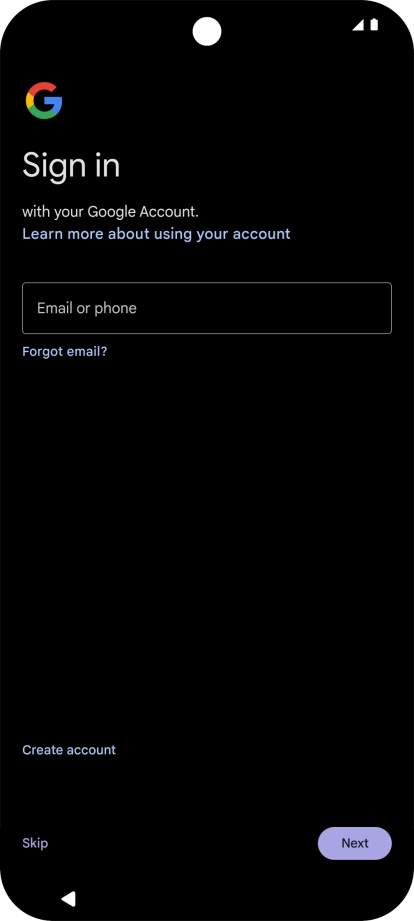
If there are no available Wi-Fi networks, you can use the mobile network instead.

6. Finish activation

Follow the instructions on the screen to finish the activation.

Get information on...

Or choose...